T-shirt Mockup Generator — put your design on a tee, locally
The T-shirt mockup generator drops your logo or artwork onto a tee and uses a light displacement fit (warping pixels to the fabric's shadows and highlights) so the design reads as printed-on rather than a flat sticker — and you can switch the shirt color in one click to preview different combos. Great for POD sellers and indie designers to preview prints and rough out e-commerce shots. It's all composited locally in your browser; your image isn't uploaded. When you need a real model and thousands of photographed scenes, jump to Placeit in one click.
T-shirt Mockup Generator builds a finished mockup right in your browser: drop your file, set the frame, export a PNG. Nothing is uploaded, and there is no watermark.
Drop an image, or click to choose
Stays in your browser
Use a transparent PNG for the best result
Production notes
How real can an in-browser tee mockup get, and when should you use photographic mockups?
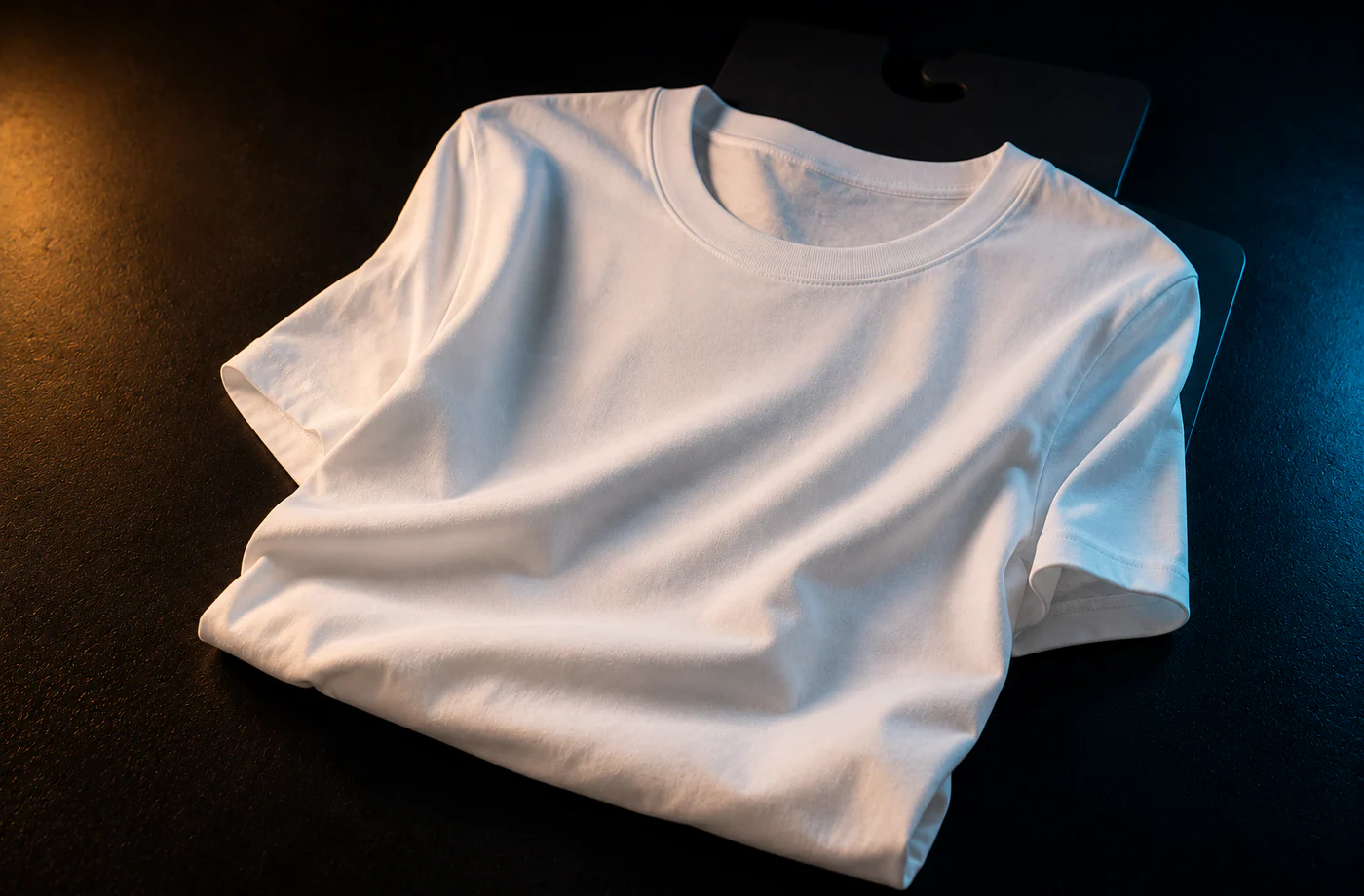
The "realism" of a tee mockup comes down to one thing: does the design follow the fabric's folds? The simplest approach is a "flat overlay" — paste the design straight onto a tee photo; zero cost but fake, because the art is flat and ignores the wrinkles. The next step up is a "displacement map": using the tee's own light and shadow as the map (dark = wrinkle valley, bright = highlight), you warp the design's pixels via bilinear interpolation so the art looks printed onto the undulating cloth. That step runs purely in canvas in the browser, and MockCat uses this light displacement to pull ahead of "flat sticker" — without heavy WebGL, staying free, local and instant.
A few tips to get the most from an in-browser tee mockup: use a transparent PNG so only the art lands (no white box); don't oversize it — chest-centered and slightly high, at a sensible scale, reads most like a real print; use the color variants to check a few versions (the same art looks very different on a white vs black tee — light art on dark, dark art on light usually reads clearer); and don't max the wrinkle strength — a gentle follow of the folds is enough, too much distorts. You can drag all of this out live in MockCat and export when it looks right.
When is an in-browser mockup not enough, and you need photographic mockups? When you need photo-real e-commerce hero shots of a real model wearing your tee in a real scene — different bodies, skin tones, lighting and poses — which canvas can't do; you need a dedicated photographic library. Placeit is exactly that, with thousands of on-body, flat-lay and lifestyle tee mockups you drag your design into. So MockCat's lane is: ship a free, fast "print preview / design draft," and once the design's confirmed — print and sell it on Printful, or get e-commerce-grade real scenes from Placeit. We do the free, lightweight stage; the heavy scenes go to a licensed paid library.
Honest comparison
T-shirt mockup tools compared: MockCat vs Placeit vs Printful Mockup Generator
Tee mockups split into "free in-browser preview" and "real photographic scenes / sell directly." The table lists only verifiable facts (as of June 2026, per each vendor's site).
| Tool | Free | Real photographic scenes | Local | Next step |
|---|---|---|---|---|
| MockCat T-shirt Mockup | Yes | No (in-browser fit preview) | Yes (canvas, local) | Export / go open a store |
| Placeit | Preview only (download needs a sub) | Yes (thousands, on-body) | Cloud | Subscribe to download |
| Printful Mockup Generator | Free (sign-up required) | Some (flat-lay/model) | Cloud | Print & sell directly |
Placeit has the richest photographic scenes; Printful's strength is "mockup straight to print-on-demand." MockCat is the free upstream preview for both.
Contains affiliate links. We may earn a commission at no extra cost to you.
How to use t-shirt mockup generator
- 1Drop your design (a transparent PNG works best).
- 2Drag / scale to place it on the chest.
- 3Switch the shirt color (white / black / gray / etc.) to preview combos.
- 4Tune the wrinkle-fit so the design follows the folds, then download.
Why use MockCat's T-shirt Mockup Generator
- Light displacement fit: warps your design to the fabric's light and shadow — more real than a flat overlay.
- Color variants: switch the tee color in a click to compare dark vs light combos.
- Local compositing: your design isn't uploaded — unreleased original art shouldn't go to a server first.
- A natural POD funnel: happy with it? Print and sell it on Printful, or grab a real on-body shot from Placeit.
Frequently asked questions
What is displacement fit, and is it real?
It lightly warps your design's pixels to the tee fabric's light and shadow (the folds), so the art reads as printed onto undulating cloth rather than a flat sticker. It's much more real than a flat overlay, but still an in-browser "preview-grade" effect; for photo-real e-commerce shots use Placeit's photographic mockups.
Is my design uploaded?
No. Everything is composited locally with canvas; unreleased original art never leaves your device — which matters for designers.
How do I get a mockup with a real model wearing it?
Canvas can't produce photo-real on-body shots. Use the link in the results area to jump to Placeit, which has thousands of real-model tee mockups across scenes — drag your design in.
How do I actually print and sell it?
Use a print-on-demand (POD) platform like Printful: upload the design, it prints on a tee, and production happens only when someone orders — zero inventory. There's a jump in the results area.
Do you support hoodies and other apparel?
Tees are the current focus; hoodies / totes and more apparel types are in the works. For a huge range of apparel in real photos, Placeit already covers it.
Updated · MockCat team
Sources, review and limits
Last verified
2026-06-17
Author
MockupCat editorial desk
Reviewer
Visual asset export review
Primary sources
- Browser Canvas APIs
- Curated mockup frame and lighting presets
- Common social and app-store size references
Mockups are presentation assets. Check platform upload rules, brand usage rights and final pixel dimensions before publishing.